From the page to editable text
Photograph handwriting, a book page, a label, or a receipt and get clean, editable text, right on your phone.
Photograph handwriting, a book page, a label, or a receipt and get clean, editable text, right on your phone.
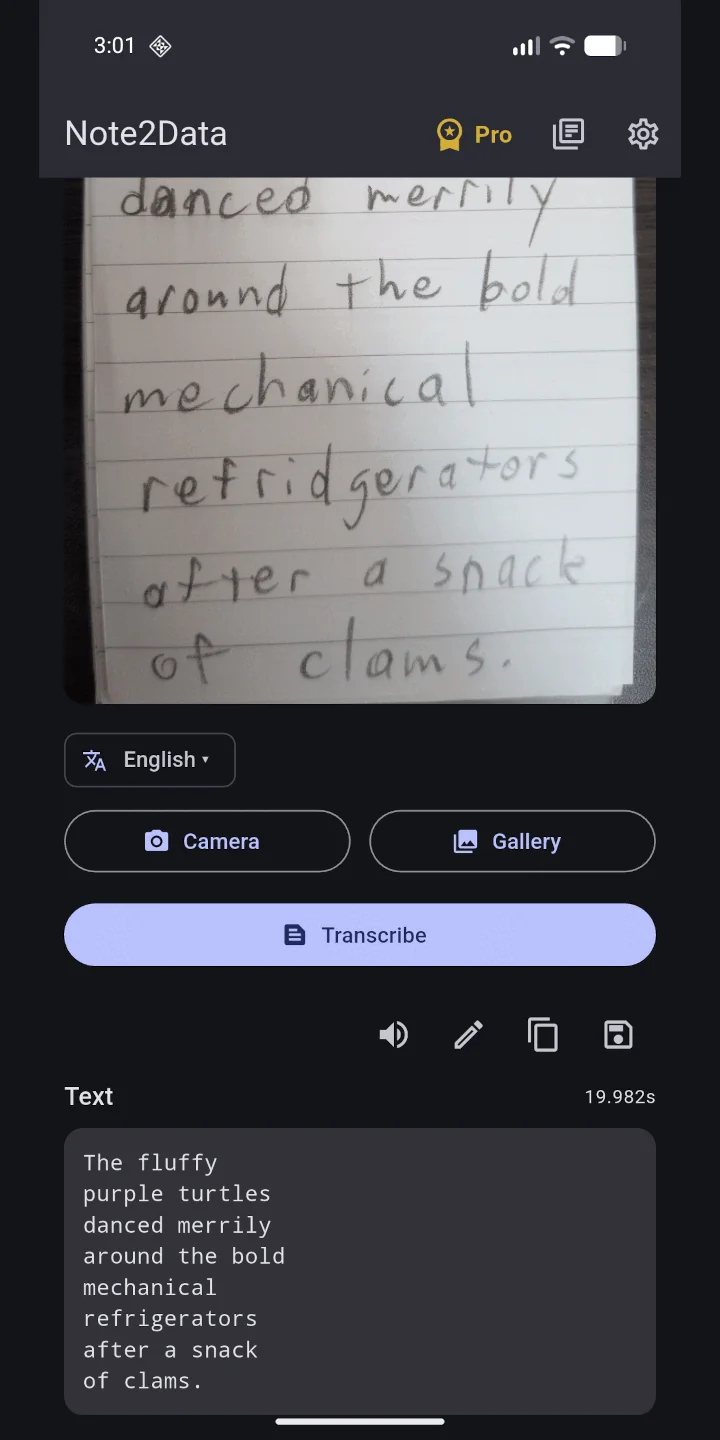
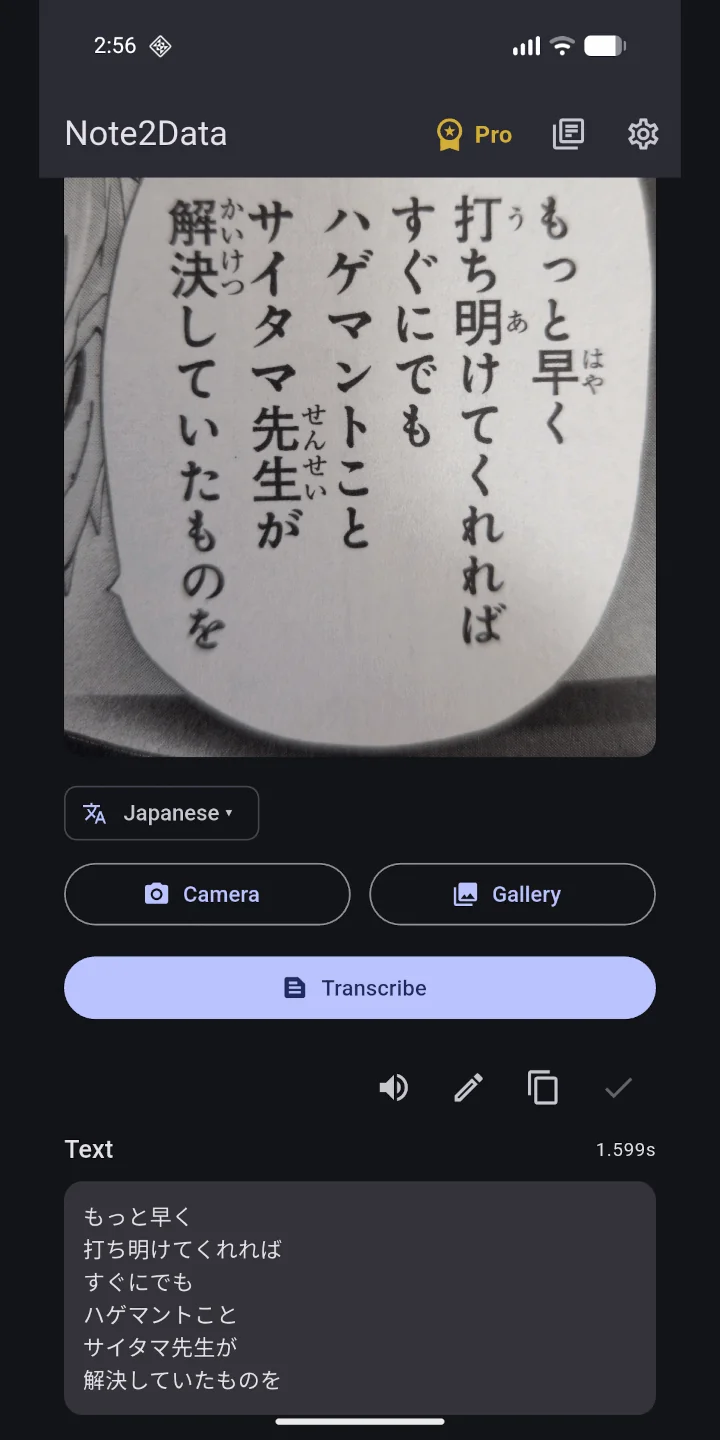
Photograph a page, or import a photo. On-device recognition turns handwriting or print into editable Markdown.
Most scanners only manage neat print. Note2Data also reads handwritten notes, journals, and letters.
Printed Japanese pages, vertical or horizontal, with furigana skipped, as a small add-on download.
Have any transcription spoken back to you with your device's own voice. No connection needed.
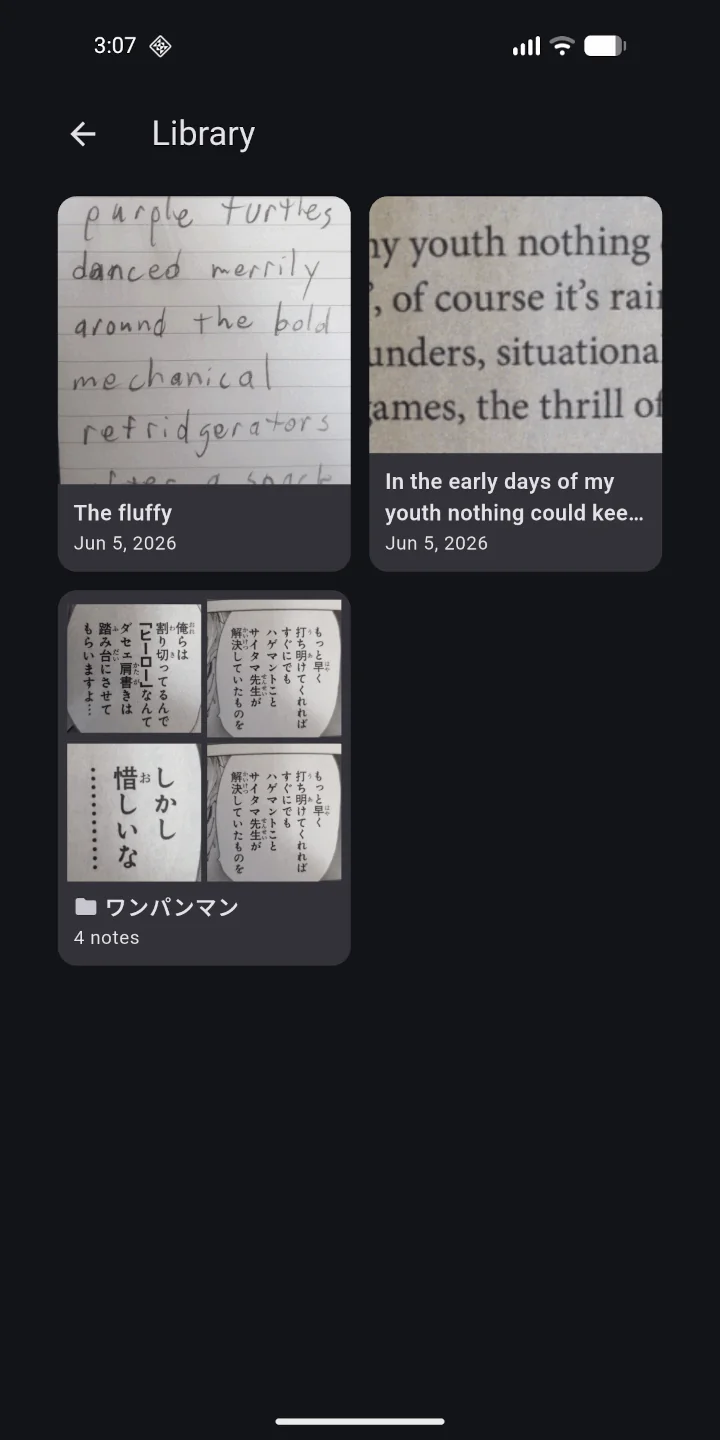
Save notes, drag to group them, rename, and edit the text in place, all stored on your device.
Copy your text, share it to any app, or save it as a PDF straight from the note.
Your photos and text never leave your phone. Recognition runs entirely on the device, with no servers storing your pages, images, or notes.
No accounts, no ads, no trackers, and no subscription. The only data that ever leaves your device is anonymized crash reports, which you can turn off.